
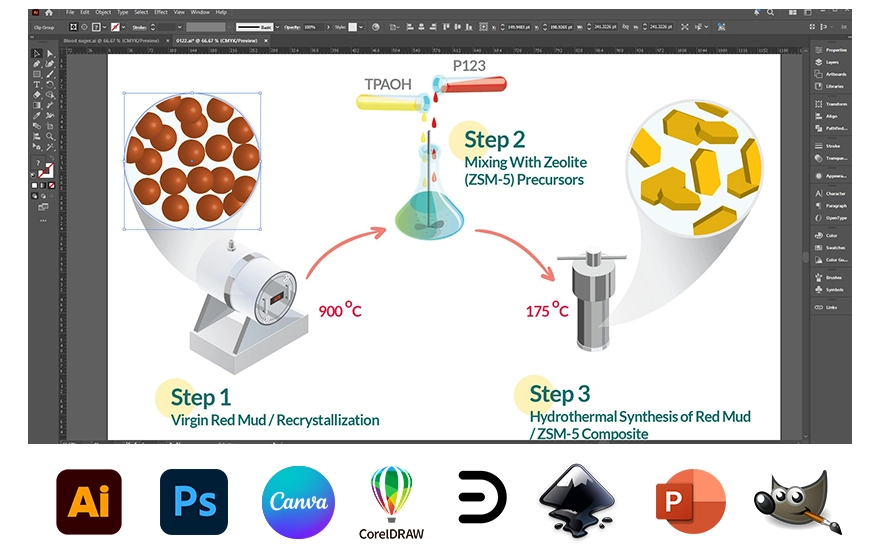
You can highlight your scientific research paper well by utilizing eye-catching scientific illustrations. A scientific publication’s precise and professional illustrations clarify the facts and elevate the document’s quality. The world of technology is saturated with 2D scientific illustration software. The large variety of software options makes it challenging to select the best one for drawing scientific figures. This post will show you some of the finest software for designing 2D scientific illustrations.
List of the best 2D scientific illustration software
- Adobe Illustrator
- CorelDRAW
- Adobe Photoshop
- Inkscape
- Canva
- Microsoft PowerPoint
- Edrawsoft
- TikZ
- GIMP
- ChemDraw
1) Adobe Illustrator (The most popular in 2D)
Adobe Illustrator is a vector graphics design software that researchers frequently utilize to generate professional, scientific images.
It is an excellent tool for accurately creating complicated graphics. It excels at precise control of lines, fonts, colors, and alignment, and integrates well with graphs from Prism/R/Python and images like microscopy for annotation and layout.
Remember that this program is not free; you must pay around $20.99 monthly.
2) Inkscape
Inkscape is an open-source app for making scientific illustrations, diagrams, icons, maps, and graphical abstracts. This software can be used as a vector graphics editor to create pictures.
It is an excellent alternative to Adobe Illustrator. On GitHub, there are science‑oriented extensions (e.g., “Scientific Inkscape”) plus tutorials specifically aimed at making publication‑quality figures. This program is compatible with Mac, Windows, and Linux.
Remember that this program is free.
3) CorelDRAW
CorelDRAW is another good vector graphics editor frequently employed in scientific illustrations. It has an intuitive interface, robust drawing tools, and several formatting choices.
CorelDRAW is noted for its flexibility and interoperability with various file types. It offers strong drawing and layout tools (plus a Technical Suite with CAD/3D integration), but has fewer science‑specific tutorials and templates than Adobe Illustrator or Inkscape.
It is a subscription-based program that costs $19.99 per month.
4) Adobe Photoshop (Ideal for microscopy photos)
Adobe Photoshop is well-recognized as a photo editing program, but can also be employed to create 2D scientific illustrations.
Photoshop provides various tools and capabilities that enable exact picture manipulation, light and resolution correction of microscopy photos (like SEM and TEM), arranging text of figures in a manuscript, making it a good choice for researchers in order to produce images that integrate charts and photos.
You must pay around $20.99 monthly.
5) Canva (Ideal for infographics and scientific posters)
Canva is an online platform that lets you generate a variety of visual material, including scientific illustrations. It lets you assemble simple scientific visuals (conference posters, infographics, conceptual diagrams) quickly using drag‑and‑drop layouts and a large library of science‑themed icons and templates.
Canva is a freemium service that provides a free basic service and a $12.99 subscription version per month.
6) Microsoft PowerPoint
You may not believe PowerPoint is software for creating scientific illustrations, but it is. You can utilize this user-friendly software to make graphics and academic presentations.
In fact, Microsoft PowerPoint is a slide‑design tool that many researchers repurpose to draw simple vector‑like schematics, graphical abstracts, and device diagrams using its built‑in shapes, lines, and arrows.
As of early 2026, Microsoft 365 Personal costs about $8.49 per month.
7) EdrawMax (Ideal for graphs and charts)
EdrawMax is a versatile, AI-powered diagramming software from Wondershare. This software is an excellent program for creating scientific illustrations, providing several templates and samples to help users make their images.
This program offers several professional alternatives, such as flowcharts, science graphics, floor plans, workflows, electrical diagrams, mind maps, graphs, charts, etc.
Also, it support variuos ready-made vector bundles like chemistry equations, molecular models, and lab equipment diagrams.
It offers a perpetual license for around $245 (one-time), monthly at $15–$25; free versions exist with limits.
8) TikZ (Ideal for scientific plots)
TikZ is a free LaTeX package for creating precise, scalable vector graphics like diagrams, schematics, flowcharts, and plots directly in code, ideal for scientific papers.
This is a cross-platform program that lets users make and modify TeX images using the PGF/TikZ library. TikZ has several illustration-creation tools and supports a variety of lines, shapes, curves, and text components.
TikZ is a free, open-source LaTeX package—no licensing costs whatsoever.
9) GIMP
Whether you’re a graphic designer, photographer, artist, or scientist, GIMP gives you advanced tools to get the job done.
GIMP is a cross-platform image editor that supports GNU/Linux, macOS, Windows, and other operating systems. It’s powerful for pixel-level adjustments but lacks native vector scalability, so pair it with tools like Inkscape for hybrid workflows. This is an excellent alternative to Adobe Photoshop.
It is a free app; therefore, you may modify the source code and distribute your improvements.
10) ChemDraw (Ideal for 2D chemical structures)
ChemDraw is specialized software for drawing 2D chemical structures, reactions, and molecular diagrams with precise stereochemistry, biopolymers, and NMR prediction.
The molecular structures in this software are recognized as a standard in chemistry. In addition, it contains some publication-ready figures for chemistry and biology.
Academic or university licenses are often cheap, like $64/year via campus IT.
How to order a professional scientific figure
Since using 2D scientific illustration software is on the rise, if graphic design isn’t your thing and you’d rather focus on your research topic, we can assist!
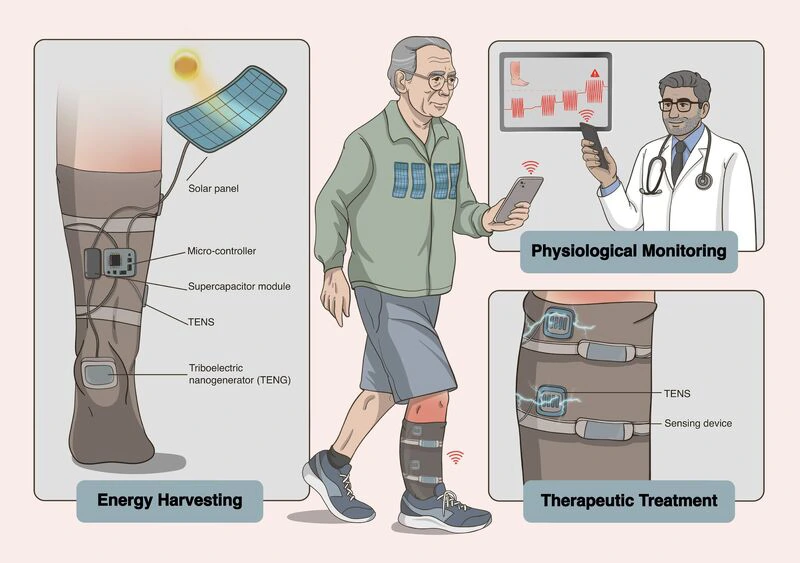
2D graphical abstract created by Inmywork Studio (DOI: 10.1002/adfm.202522340)
The Inmywork team has a lot of experience in scientific illustration and graphical abstracts. In addition, you can keep in touch with the team for editing several times. The process of delivery time of scientific figures depends on the complexity of the project. Your project will be done as soon as possible.
Recent Journal Cover Designs










Leave a Reply